Be yourself; Everyone else is already taken.
— Oscar Wilde.
This is the first post on my new blog. I’m just getting this new blog going, so stay tuned for more. Subscribe below to get notified when I post new updates.
Be yourself; Everyone else is already taken.
— Oscar Wilde.
This is the first post on my new blog. I’m just getting this new blog going, so stay tuned for more. Subscribe below to get notified when I post new updates.
The most valuable aspect of this course was building our PLN. While I knew of the concept, I wasn’t aware of the technicalities of it. I enjoyed exploring and finding topics that interest me and those that can help me to grow professionally and personally.
Through this course, I have grown professionally by building and expanding my PLN and finding others on social media who share my same passions in education. With the mini-curricular assignment, I took the perspective of being a technology coach for my district. I used the experience to build myself in the Professional Development world. I do a lot of quick PD in my district, but I want to do bigger and better trainings, so I felt this would be the perfect time!
From this course, I learned how easy it is to integrate social media in the classrooms. It’s always been a topic that I wanted to tackle, but didn’t know how. I really appreciated the social media use policy assignment as it opened my eyes to my district not having something like that in place and how critical it may be to have one for both students and staff.
One of the challenges I faced in this course, that I certainly didn’t realize was going to be a challenge was the lesson plans curation assignment. It took me a moment to truly understand what curation was, but then being able to find age-appropriate lessons that use the actual social media. There are so many lesson plans and activities available for elementary students who are centered around social media, but they don’t actually use the platforms, they just use a google slide, doc, word document, etc with a template that looks like the platform.
Enjoy it! This was one of my favorite courses in my program and I thoroughly enjoyed it. I’ve always loved social media, of course I have always loved education and I was able to put these two passions together. Another reason I enjoyed the course was because there are still some people who are against social media in education, so I hope this course can help some people to open up to the benefits of using social media in the classrooms.
I enjoyed doing the blogs for this course! I always felt that I had plenty to say and I enjoyed the user friendly program that I chose to use. I’d love to be cool enough to have a teacher blog one day! I am trying with a colleague to begin a podcast, maybe a blog is next!
I thought I knew a lot (or all ;)) of the platforms we were going to use, but silly me, I didn’t! I enjoyed learning more about the platforms I already use (Twitter- specifically TweetDeck!) I had no idea some of the programs we used or that I found through assignments existed! That was a nice surprise, I have added a lot of tools to my tool kit (or my treasure box from a previous assignment).
I thought this course was great, the pace was nice and the workload wasn’t overwhelming. It’s a great topic and extremely useful, beneficial, and engaging! I appreciate all that I learned from this course from our instructor and my peers!
Module 6- Week 12
As defined by the Los Angles Unified School District, “Social media is comprised of online platforms where users engage one another and share information and ideas through text, video, or pictures. To be a responsible social media user, students shall understand the different types of social media available and ways to engage in safe and productive ways online” (Gipson & Mendoza, 2018).
Ensuring Stakeholder Feedback:
Resources
Gipson, F., & Mendoza, S. (2018, July 18). Digital Citizenship / Social Media Policy for Students. Retrieved from https://achieve.lausd.net/Page/8619
Student Technology and Internet Acceptable Use. (n.d.). Retrieved from https://www.westada.org/site/Default.aspx?PageID=13184#500
Module 6- Week 10 Lesson plans for social media use in the elementary classroom.
Here is a link to my curated list : https://wke.lt/w/s/d7ghcQ
Woah, that was hard! It was quite difficult to find actual lessons for using social media in the elementary classroom- especially primary grades. I see a lot of ideas for using social media and I personally spend a lot of time teaching digital citizenship, but to find actual lessons that use the platforms was difficult. There are a lot of lessons that use the platforms as inspiration and use templates instead of the actual platform. At first, I felt that it was going to be difficult to find ideas, but as I started to research I realized I actually had more ideas in my head. I was able to find lessons/articles based on ideas I had in my head, I usually think “if I’ve thought of it, someone else has thought of it”. So, I took some key ideas I had in my head to research and then I was able to find more lessons. This assignment made me want to get back into the classroom and start doing more of these lessons using social media!
“A Treasure Trove”

What did I learn?
This was a lot of fun to create! I teach second grade and have a treasure chest in my classroom that my students can earn in various ways. When I had to create a diagram, the idea of this “tool box” of resources came to mind. Since I teach 2nd grade, a treasure chest made perfect sense. The order the resources are placed in specific order in the chest. I think of the order as a “sliding scale” of sorts. With the left side being the communities I use to develop my learning and the right side being the communities I use to help my students develop their learning and the programs that we both can use towards the middle. I feel like I learned a lot about how much I use communities beyond my classroom to teach and learn. I know that I spend a lot of time on social media sharing and collecting information, but when seeing it in this diagram form, it was amazing to see how much support is out there! I actually had to stop myself from including more communities!
How does my PLE compare to my peers’?
I was excited to see everyone else’s diagrams and I knew they all would be quite different, but I was surprised to see how different they all are. I saw several webs that categorize the different areas and what they could be used for such as collaboration, social media, etc. I took on a very different approach, I arranged my communities in ways that I use them for myself as a teacher and how I use them for the learning of my students. I enjoyed seeing how different they all were and how we interpreted the ways these communities we all use are connected!
Creating a checklist for criteria for quality curation.
I spend a lot of time online both for personal and professional use, so I know there has to be a lot of information about me online such as my digital footprint. I teach 2nd grade and as a technology coach, I preach digital citizenship to other teachers and my students. Recently during a dig cit lesson with my students we got to the topic about (never) sharing our personal information online and being aware that or information can be shared without us necessarily noticing. This led into a conversation about a digital footprint. Of course in order for the students to understand this topic, we had to start with what an actual footprint was. Needless to say, I was super excited when I saw the topic for this week since I was just teaching my students about this!
I am choosing to embrace my digital footprint, it’s there and it will always be there. I know that I need to be cautious about what I share (even in a blog post here!) and I love that I get to help students learn this at such an early age. My students (7-8 years old) all have Chromebooks at school and many, if not all, have a smart phone and/or tablet at home. All of course can access the internet, students are showing me new sites that I have never seen all the time. Thank you students for keeping me in the know! 😉 As someone who has a digital footprint (duh) I choose to use my knowledge to share with others (teachers and students) about how they can stay safe online.
It is INCREDIBLE the amount of information available online about anyone and everyone. I remember a while back doing a google search of my name and finding information about who I am related to and things about them- It is scary!
One of my favorite shows is Catfish on MTV. In this show people write into the host, Nev, and share their stories of relationships found online. People have these elaborate relationships and stories with people in some cases for many years and have never even met them in person. After finding information about the situation, Nev and his cohost get to work-on the internet. They are able to reverse image search pictures and find anywhere and everywhere online these images are posted. They can search phone numbers, names, places, anything and in a matter of minutes they know who an entire person is (or isn’t in the case of this show).
A quick google search can find anything-including things you think you have deleted or erased. I found a lot of information about me which also includes others who have the same name. I found several links to things with accounts or pages that are not me, but have the same name. As a huge Catfish show fan, I can only hope someone isn’t using my information to be a catfish and that there are others who may have a similar name as me!
Let’s talk Twitter!
It’s not my favorite social media, it’s not something I ever “connected” with, but I am trying to come around. I have used Twitter a lot more this school year with my technology coaching job to share ideas, resources, and promote what we’re doing.
Hashtags
I follow several hashtags, including my own that the technology coaches and myself have started (#letstacobouttech) and honestly I’m ready for it to be trending already! Haha! I decided not to include that hashtag for this assignment though. I am following:
#2ndchat
#appsforkids
#iste
#digitalcitizenship
#edtech
What have I learned from these hashtags?
Let’s start with #2ndchat. I teach second grade and follow many 2nd grade groups on other social medias, but hadn’t on Twitter until recently. One thing I enjoy about Twitter is actually the character limit- this cuts out all the extra and just gives me the meat. As a teacher, I don’t have time to sift through pages and pages of information, I need the key points and tips on topics. Twitter is great for this. I love finding new ideas for my classroom and this hashtag has opened up the possibilities. From this hashtag I found a list of 35 books that teach Empathy and Kindness. With Valentine’s Day coming up, some of these books are going to be great for some of the lessons I have planned for my kids!
Next up is one of my favorites, #iste. The technology standards and scope and sequence my district uses comes from the ISTE standards, so this hashtag was a natural choice for me! There is so much information in this column that it can be overwhelming at times. ISTE recently shared an article with the “9 Essential Elements of Digital Citizenship”. As a technology coach, I spend a lot of time working with teachers to help them find resources to help them teach Dig. Cit. standards. In fact, at the begging of March I am going to Seattle for a Digital Citizenship Summit. I like how simple and to the point this article is, so I have shared it on our district technology coach Twitter page.
I have also learned a lot by following #digitalcitizenship, I’ll call it Dig Cit for short! Recently on Facebook I came across a teacher who shared in a second grade group about forcing your children to delete and block Snapchat. I typically don’t comment on things like this, but as a tech coach and a Dig Cit advocate, I couldn’t sit back and watch this. It is important that we teach our students and children how to be responsible digital citzens because if we don’t, who will? I shared some resources that I share with my teachers and shared how educating children is a much more effective way that restricting access to them. As I spend so much time in the teaching and mentoring world of Dig Cit, this hashtag has become an important part of my social media. Recently, I found an article with 5 ways to help students AND teachers understand copyright laws, I am hoping to share this in my district soon.
Just-In-Time Professional Development with Twitter
I have my concerns with this- as a technology coach my emphasis is Professional Development (PD). I have spent the last 2 years developing, presenting, revising, attending technology specific PD. I’ve learned a lot about PD being on the other side of things (preventing vs attending), I am hesitant to say Twitter can completely replace this. My team spends a lot of time ensuring we are providing wanted, needed and relevant PD for our teachers. I totally love that we can seek out any information we have ever wanted by searching on social media, but that doesn’t always “teach” us how to use tools or resources. It can be hard to replace the “expert” completely. Like with how rapid technology has changed, PD has changed too. PD is no longer only offered in person. There are so many ways and places one can receive PD that can work with most needs and schedules, that it would be hard for me to think Twitter can completely replace this.
This week is all about graphic representation. I chose to use Canva to visually represent the three concepts, Personal Learning Networks (PLN), Communities of Practice (CoPs), and Connectivism. I created a different card for each concept to show individuality, but kept in mind how they are also connected. I used different (subtle) elements on each page to connect each concept.
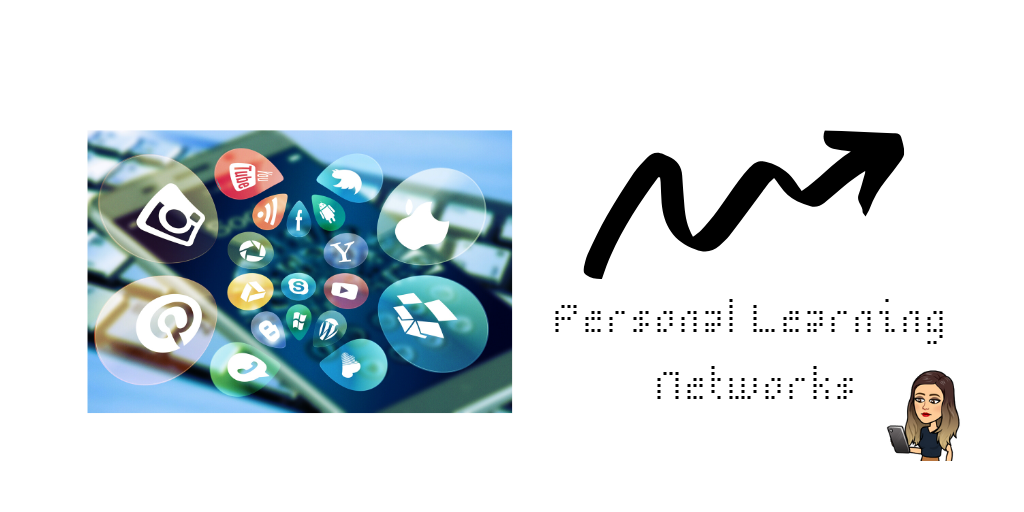


Canva is still a new tool for me, I have only briefly used it before, so I enjoyed spending a little more time on it figuring out all of its awesome features. Throughout this module, we have learned that each of these components have their own meanings, but they are still all connected. I chose to create a different card for each to keep them and their ideas separated, but included elements that connects them too. The order each card is presented has a purpose as well. I chose to keep each card with one simple idea (definition). As an educator I need things to be clear and concise, especially when learning new information, so I felt that needed to be important here as well. There is so much information available to us at any given time, we must be able to sift through the information and use what is pertinent to us.
PLN
For the first card, I chose to represent Personal Learning Networks with a picture of a phone with some of the most popular social media apps/sites. PLN’s are informal and created by either individuals or a group of people. “It’s a global, online community that allows you tap into a broad wealth of knowledge and focus on what you consider most important to your learning” (Schoology, 2019).
I chose PLN as the first card in the sequence of three as the idea that PLN is a beginning or a smaller concept within a bigger idea. PLN’s are typically created by an individual and the information in it is controlled entirely by what the owner chooses to be in it. I chose the font for this card as the idea of a start, as more information is added or learned, it would fill in the spaces within. This font isn’t completely filled in, as information is continually added. As you move to bigger concepts- CoPs and Connectivism, this information can continue to fill in your learning. I chose the arrow as a way to show information being sent out. The owner of the PLN chooses what and where this information goes.
CoP’s
Communities of Practice is the second card. This was chosen as the second card to show a bigger group beyond the individual PLN. A CoP is a group of people who share a common goal. This may be a concern, area of interest, or anything else that can bring them together. “Communities of practice often focus on sharing best practices and creating new knowledge to advance a domain of professional practice. Interaction on an ongoing basis is an important part of this” (Learning for All, 2006). CoP’s are a way for people to learn together and have all throughout history. “Cognitive anthropologists Jean Lave and Etienne Wenger coined the term “community of practice” when studying apprenticeships as a learning model—the term referred to the community that acts as a living curriculum” (Learning for All, 2006).
I chose the image on this card as a representation of a group of people coming together, it can be seen these people have come together and have a common intensest. They are in a relaxed manner and seem to be working well together. For the arrows on this card, I chose the same arrow coming from different directions, as if they are coming together. They also turn and are not a straight path together, this idea comes from people coming together from different backgrounds, experiences, and knowledge, but meeting in the middle for a common goal. As we are moving towards larger concepts, the font on this card is a bit more filled in, CoP’s are not individual and have a group of people coming together to form the knowledge. There are still gaps, as though more information can always be added.
Connectivism
The last card represents Connectivism. Connectivism is defined as a theoretical framework to help understand learning. As stated by Kathleen Dunaway, “The connectivist model posits that learning takes place when learners make connections between ideas located throughout their personal learning networks, which are composed of numerous information resources and technologies” (Dunaway, 2011).
I chose this concept as my last card as it can be much broader and wider. Information can be gathered by individuals, groups, strangers, anyone from anywhere. Education has changed as so has its delivery, I wanted this last card to show how education has evolved over time and students can now use technologies and knowledge to form and create new knowledge. I used the image that shows a technology as well as the word create, students can use their knowledge to create new knowledge. The arrows for this card include multiple arrows going different directions and paths as they all can lead to different knowledge. I chose to place these arrows coming from the botton that says create as we can use the technologies to help expand our knowledge. The font on this card is bigger, solid and bolded. The idea behind this is we have an unlimited supply of information right at our finger tips.
References
Kathleen Dunaway, M. (2011), “Connectivism: Learning theory and pedagogical practice for networked information landscapes”, Reference Services Review, Vol. 39 No. 4, pp. 675-685.
Learning for All. (2006). What is a community of practice? Retrieved from http://www.communityofpractice.ca/background/what-is-a-community-of-practice/
Schoology. (2019, April 18). Personal Learning Network (PLN) Benefits, Tools, and Tactics. Retrieved from https://www.schoology.com/blog/personal-learning-network-pln-benefits-tools-and-tactics
Hello EDTECH 543 classmates! I am so excited for this course!
My initial thoughts about jointing these social networks was “I got this!” I already have a personal twitter account and I also manage the twitter account for the technology coaches for my school district. In my previous courses I had a Diigo and WordPress accounts, so I knew a little about them already!
I am a technology coach for my school district and use social media quite a bit to share pictures, ideas, highlight projects or staff members, and share resources. I have been in charge of the account for this school year (so a semester), but I don’t feel I am using the social media to its full potential. For the school district technology coaching team we have a Facebook, Instagram, and Twitter account. I am excited to learn how to better manage and use these accounts, this will help me and the teachers of my district!
I teach 2nd grade, so social media as an instructional strategy is very limited in my classroom. My students know what these networks are and some even have an account or two. I have not used these accounts directly with my students. I am hoping I can find some ways to use it through this course. While I don’t use it directly with my students, I use it to find resources and ideas for my students. I also have a “teacher” Instagram account where I post pictures, ideas, and resources and use the site to find more!
I have a lot of expectations for this course, in a good way of course! These expectations are more for me more than anything! I use social media a lot and I want to know how to use it in my career more. As a manager of the technology coaching accounts I know that whatever I learn from this course helps me and the teachers in my district. I am hoping to learn how to use more social media in my classroom as well. I am so excited for this course- this is right up my alley!
I’m excited to meet all the other classmates in this course!

 EDTECH 543 SNL